Home › AI Shop › Handy programs › A program that converts many photos at once and makes them smaller
🌐 한국어 · English · 日本語 · 简体中文 · Español · Français · Deutsch · Português · Tiếng Việt · Bahasa Indonesia · ไทย
A program that converts many photos at once and makes them smaller
What you get out of it: Turn iPhone HEIC photos into JPG and shrink many photos in one go. Your photos are never uploaded. You receive: 1 Chrome/Edge program (zip) + install guide · download right after payment
$4.99 (≈ ₩7,000) · ⚡ Instant download · No shipping fee
$4.99 (≈ ₩7,000) Buy now — $4.99 (≈ ₩7,000)
How to use (4 steps)
- Drop photos (or a whole folder) on the page, or click 'Choose photos'.
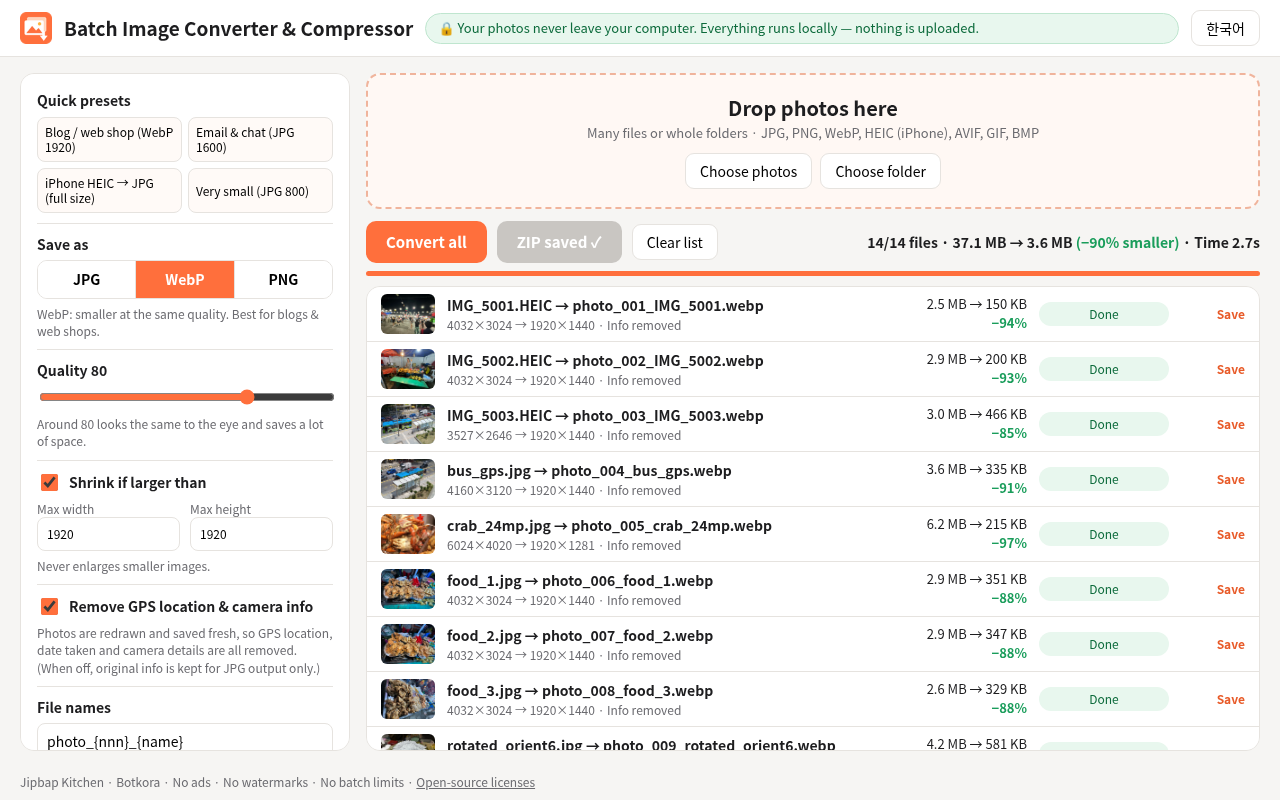
- Pick a quick preset (Blog/web shop, Email/chat, iPhone HEIC to JPG, Very small), or set format, quality and size yourself.
- Click 'Convert all'.
- Click 'Download all as ZIP'. You can also save photos one by one.
Screenshots
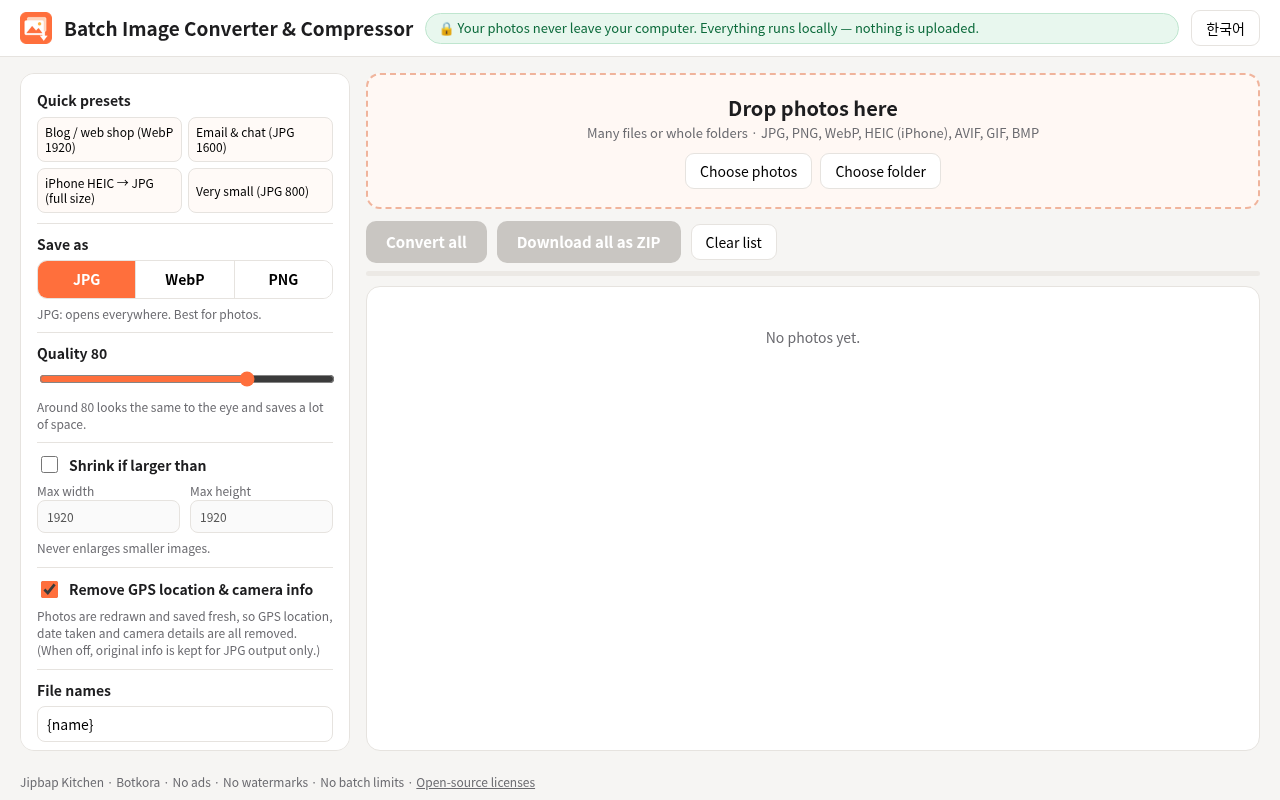
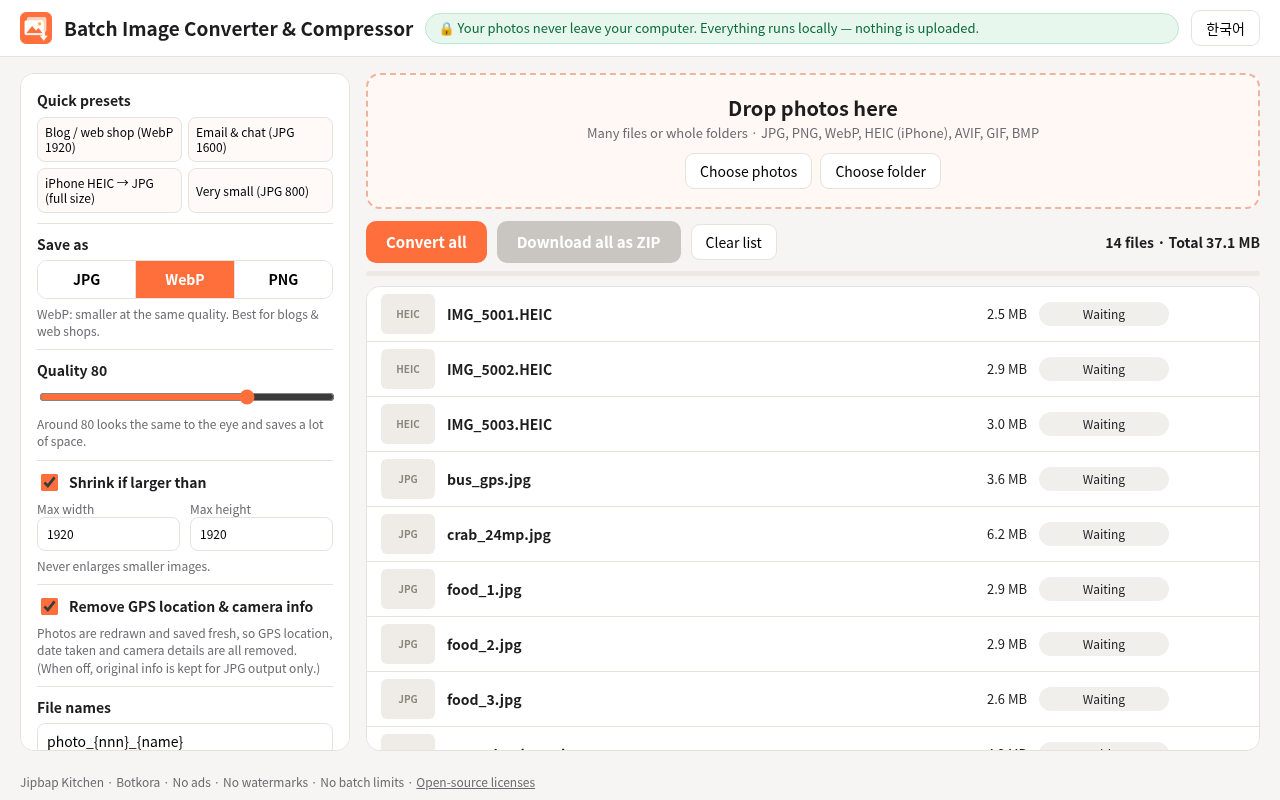
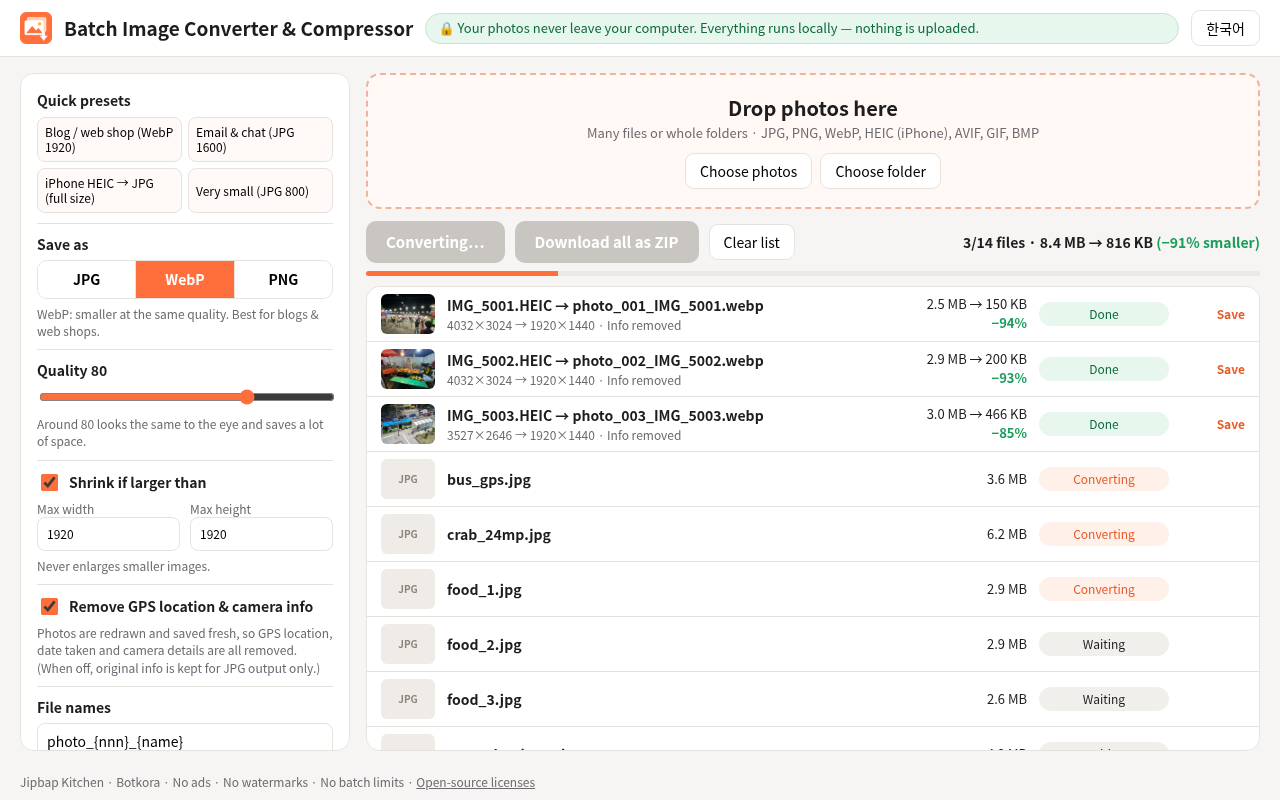
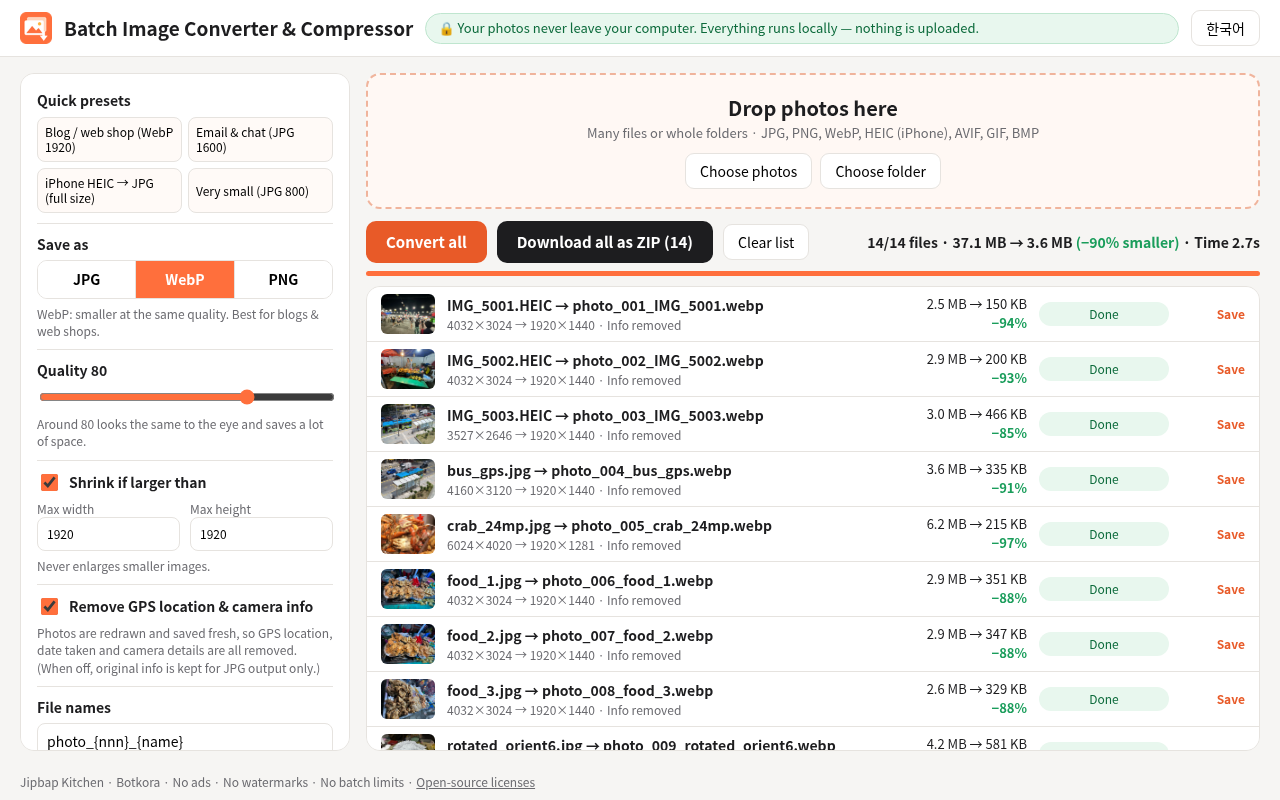
Install (2 minutes)
- Unzip the file you downloaded.
- Type chrome://extensions in the Chrome address bar. (Edge: edge://extensions)
- Turn on 'Developer mode' (top right; in Edge it is in the left menu).
- Click 'Load unpacked' and choose the batch-image-converter folder.
- Pin it from the puzzle icon. Click the icon and it opens in a new tab.
Honest test result
Real test (Chrome, 14 photos, 37.1 MB): WebP, quality 80, max 1920 px: 14 of 14 OK, 2.7 seconds, down to 3.6 MB (90% smaller). JPG, quality 80, full size: 14 of 14 OK, 2.2 seconds, 45% smaller, rotation correct. Every output opened, no GPS or camera info was left, and there were zero internet requests. A batch of 71 files with 1 broken file took about 7 seconds: 70 OK, and the broken one showed an error and was skipped. Honest limits: PNG makes photos bigger (+583%). The HEIC test files were made from real photos, not shot on an iPhone. Live Photos and bursts: main image only; animated GIF: first frame only. Very vivid (P3) colors may look slightly less vivid. 'Keep photo info' works only when saving as JPG.
What's inside
- 1 Chrome/Edge extension (zip)
- Korean and English screen
- 4 quick presets: Blog/web shop, Email/chat, iPhone HEIC to JPG, Very small
- Opens JPG, PNG, WebP, HEIC, AVIF, GIF, BMP / saves JPG, WebP, PNG
- Install guide (English and Korean) and license notices
$4.99 (≈ ₩7,000) Buy now — $4.99 (≈ ₩7,000)
FAQ
My iPhone HEIC photos won't open on my PC. Will this help?
Yes. Add the HEIC photos, pick 'iPhone HEIC to JPG', and they all become JPG at once. Live Photos give the main image only.
Are my photos uploaded?
No. Everything runs on your own computer. No permissions, no ads, no analytics. Our test saw zero internet requests.
I saved as PNG and the files got bigger.
That is normal. PNG is not made for photos. For photos, choose JPG or WebP.
Which browsers does it work in?
Chrome, Edge and other Chromium browsers on a computer (tested in Chrome). It is installed with Developer mode, not from the Chrome Web Store.
How do I pay and download?
Pay on Payhip and download the zip right away. No shipping. If something goes wrong, contact the help center.
Related products
- A program that copies text on your screen with a mouse drag — Stop retyping text from pictures. Drag over it and it becomes copyable text. Nothing is sent online.
- 8 helpers that write replies to your online-shop customers — Drafts for customer questions, refunds and reviews appear on their own. You check before anything is sent.
- 30 writing lines you just paste into AI — AI writes meeting notes, email replies and promo posts for you. Just change the [ ] blanks to your situation.